Fictional demo data. All organisations, people, contact details and figures in this demo are fictional. Company names are drawn from a trademark-cleared fictional namespace and any resemblance to real entities is unintended.
A working knowledge vault for a fictional media company — 10 departments, real documents, and 15 live dashboards you can click through. Everything here is generated from plain Markdown notes with ordinary YAML frontmatter. No database, no lock-in.
What you are looking at
This is a static, read-only preview of an Obsidian vault — plain files rendered to HTML. It is not the product itself, and a few things cannot survive the export:
- 15 Dataview dashboards ship in the vault as well as the Bases ones below. They need Obsidian’s Dataview plugin to run, so they are left out here rather than printed as dead query text.
- Live date formulas (a procedure’s countdown to its review date, a project’s age) are computed by Obsidian on open. The static build cannot evaluate them, so those columns are omitted rather than shown blank.
- Graph view, backlinks panel, search and editing are Obsidian features, and no page here is editable — there is no server behind this site.
Roles and permissions are not visible here
Everything on this site is public and identical for every visitor. The product it previews is not: the Pro Pack ships a small server that gates every department by role — admin, editor, viewer — and refuses anything not explicitly permitted.
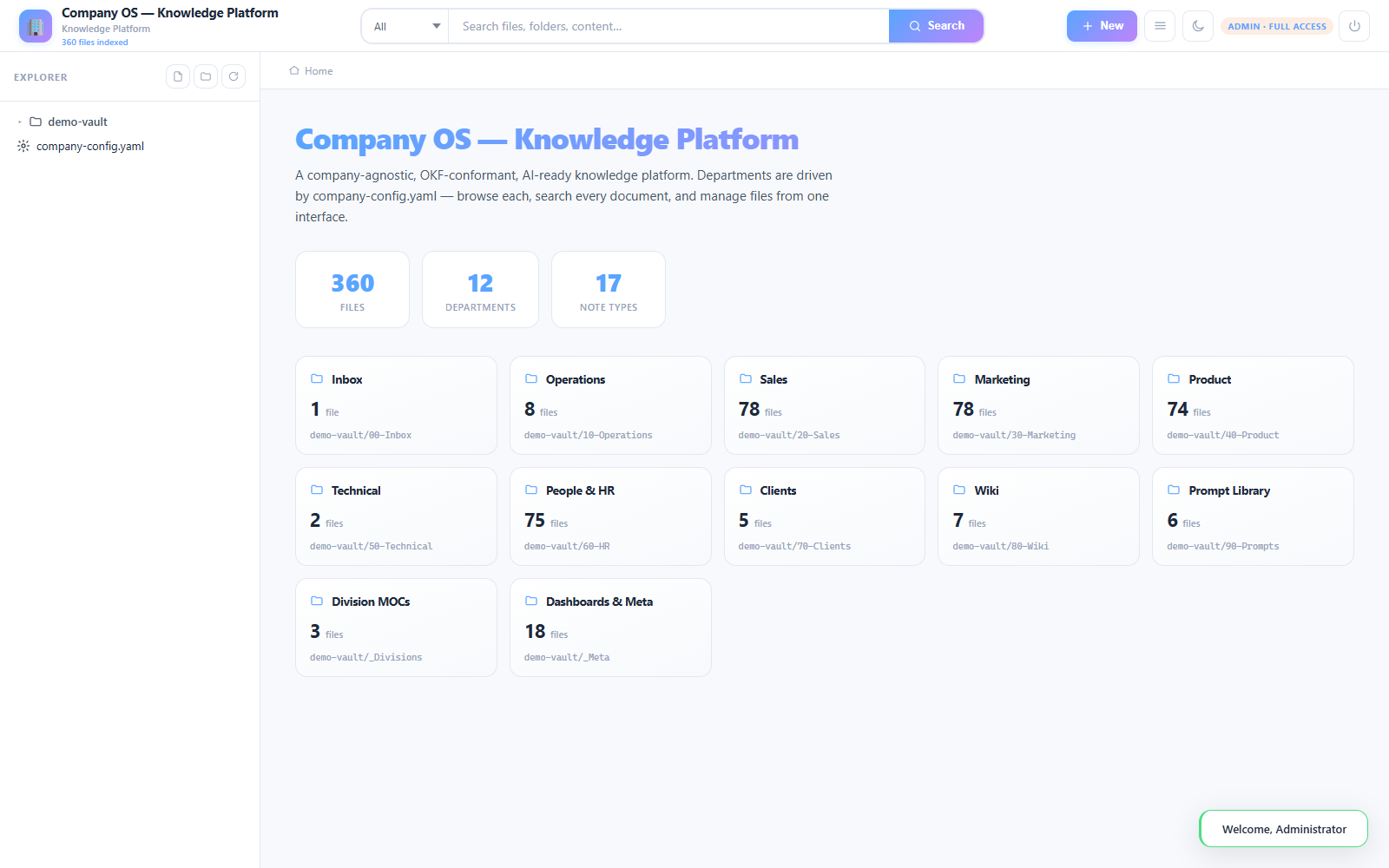
In this vault’s own configuration, for example, an editor can read the technical department but not change it, and the client folder is restricted to admin alone. A viewer never writes anywhere. None of that can be demonstrated by a static page — a static page has no idea who you are — which is precisely why the distinction matters.
Here is the real server doing it. Admin sees all twelve departments:
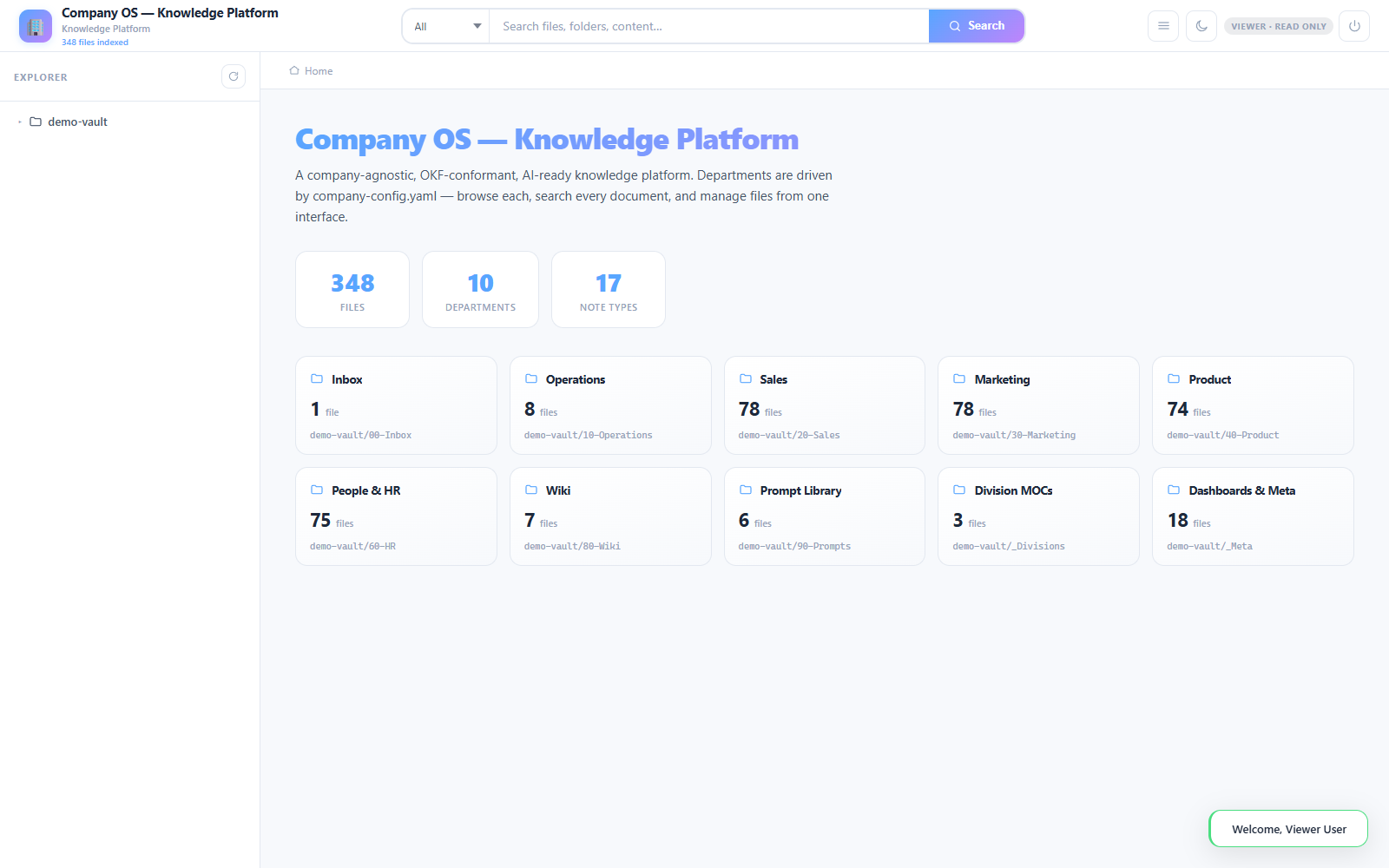
A viewer signing into the same vault sees ten. The client folder and the technical department are simply not there — not greyed out, not empty, absent, because the server refuses to list what the role may not read:
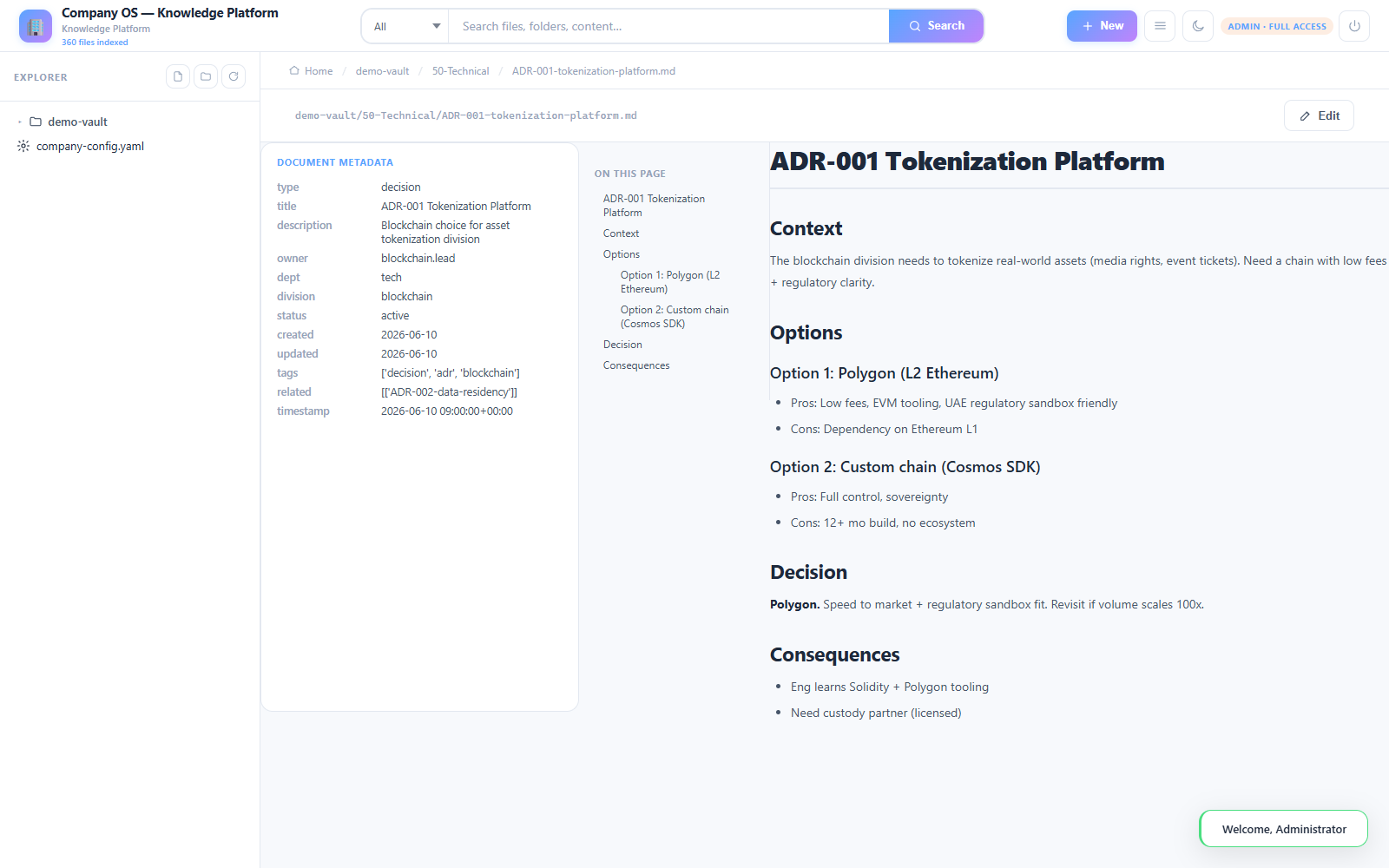
Read access and write access are separate. An admin opening a technical document gets an Edit action:
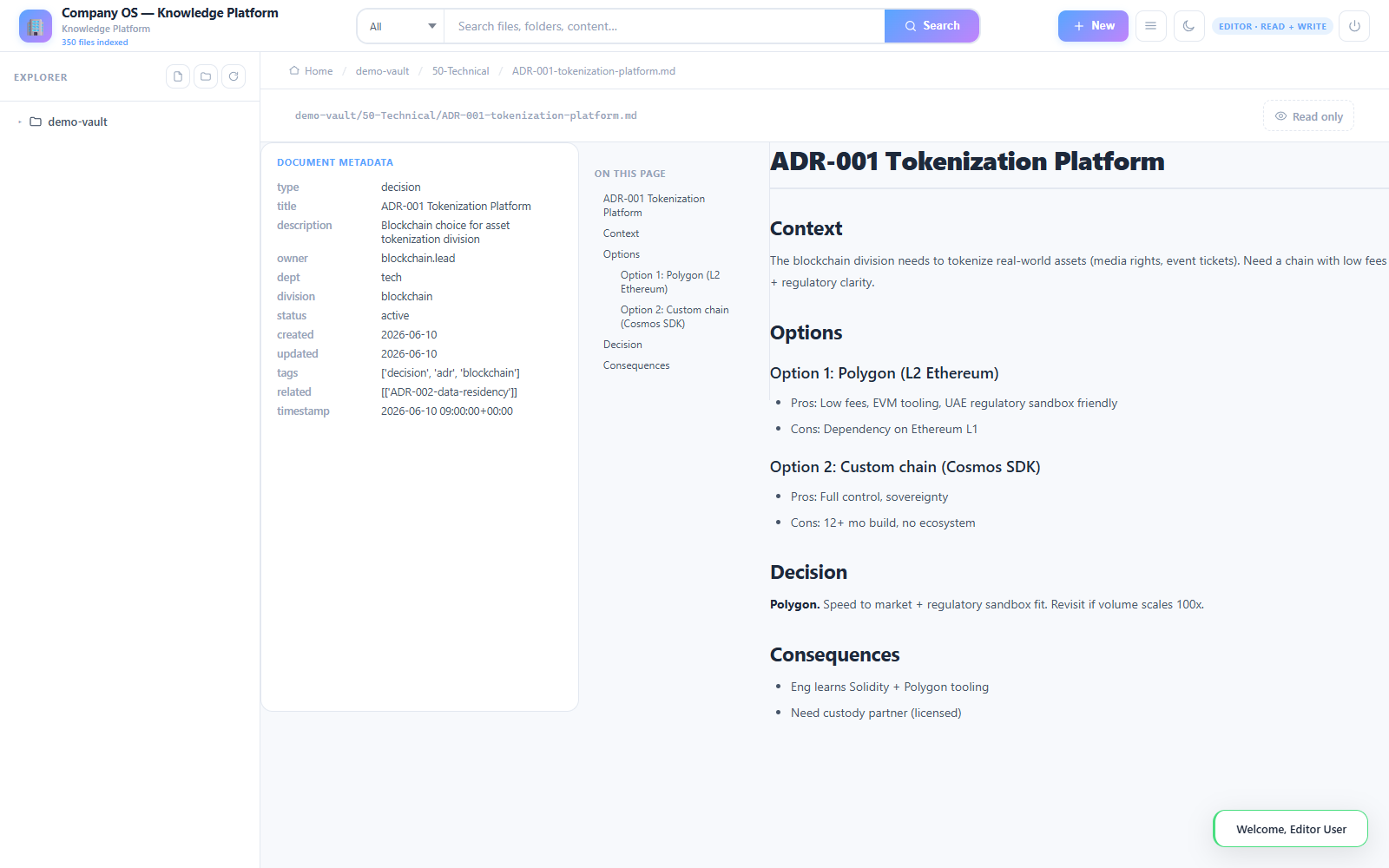
An editor opening the very same document can read every word of it and has no way to change it — the department is readable to that role but writable only by an admin:
Start here
- Dashboard — the index of every view in this vault
- Secure sharing — how one department is shared with a contractor without handing over the whole vault
- Document control — numbering, approval and review dates, modelled on ISO 9001 / ISO 19650
What to look at
The dashboards are the point. They are Obsidian Bases files — a core feature since Obsidian 1.9, so they need no plugins at all — and each one is a live query over the notes, not a copy of them. Add a note with the right type: and it appears; change its status: and it moves.
Worth opening: the executive board for cross-department work, the SOP health view that counts down to each procedure’s review date, and the risk register grouped by status.
How it is organised
Departments are numbered folders (10-Operations, 20-Sales, …) so the order is stable and predictable. Each note declares a type, an owner, a status and a division in its frontmatter — that is the entire contract the dashboards rely on.